You spent hours building these boards. Losing one to a platform change, a deleted pin, or a dead link stings. Here is how to keep your own permanent copy, every pin at full resolution, in a couple of minutes.
If your board is public
This is the easy case. Open the board on Pinterest, copy its link from your address bar
(it looks like pinterest.com/yourname/board-name), then paste it into the box on your PinSuite
dashboard and hit Save it. PinSuite downloads every pin and rebuilds your sections as folders.
That is the whole thing.
If your board is secret
Most of us keep a board or two private. PinSuite cannot see a secret board unless you let it in. The simplest way is to flip the board public for a moment, grab it, then flip it straight back. Here is the full walkthrough.
Open the board's menu
On Pinterest, open your secret board and click the three dots ("...") to open its menu.
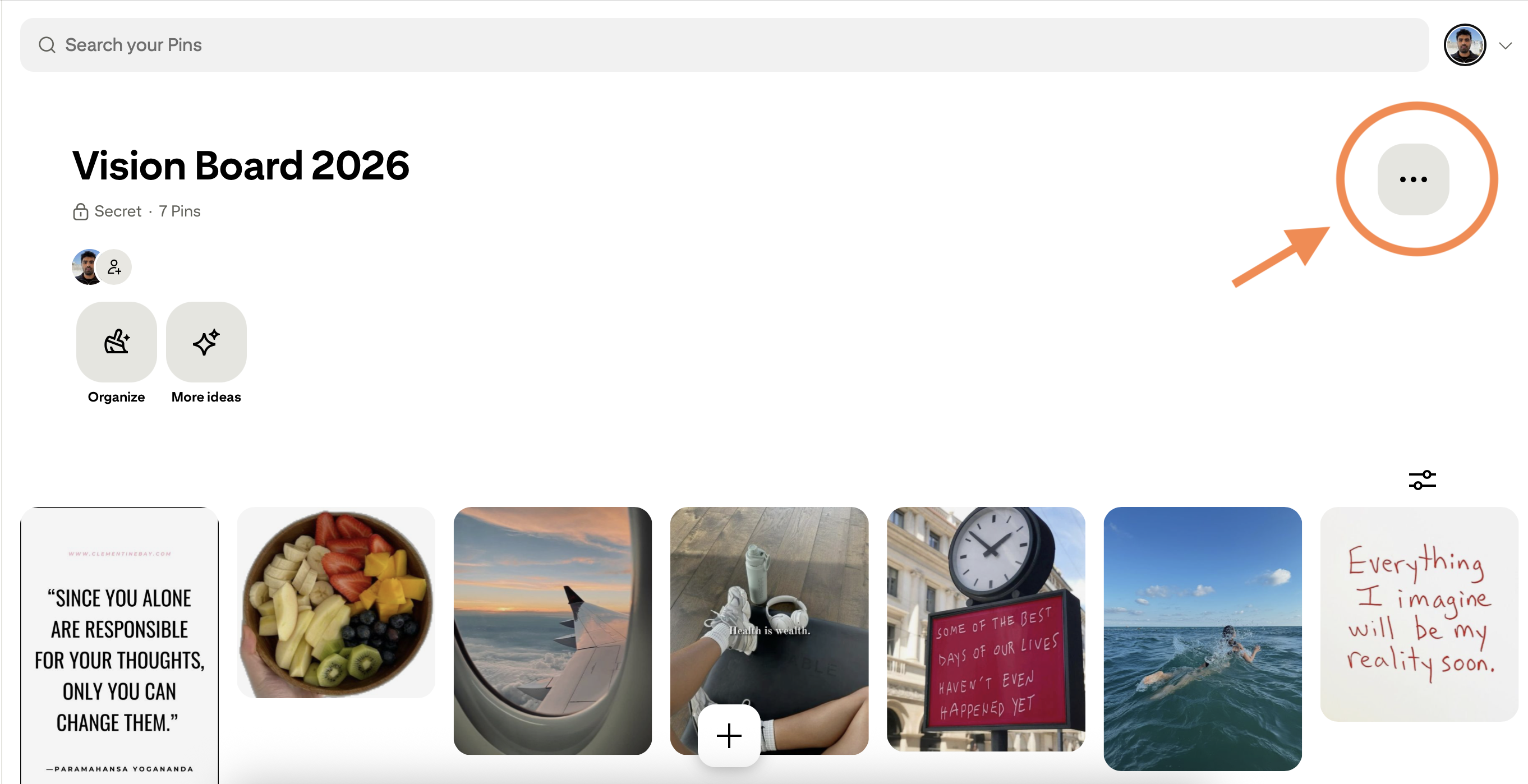
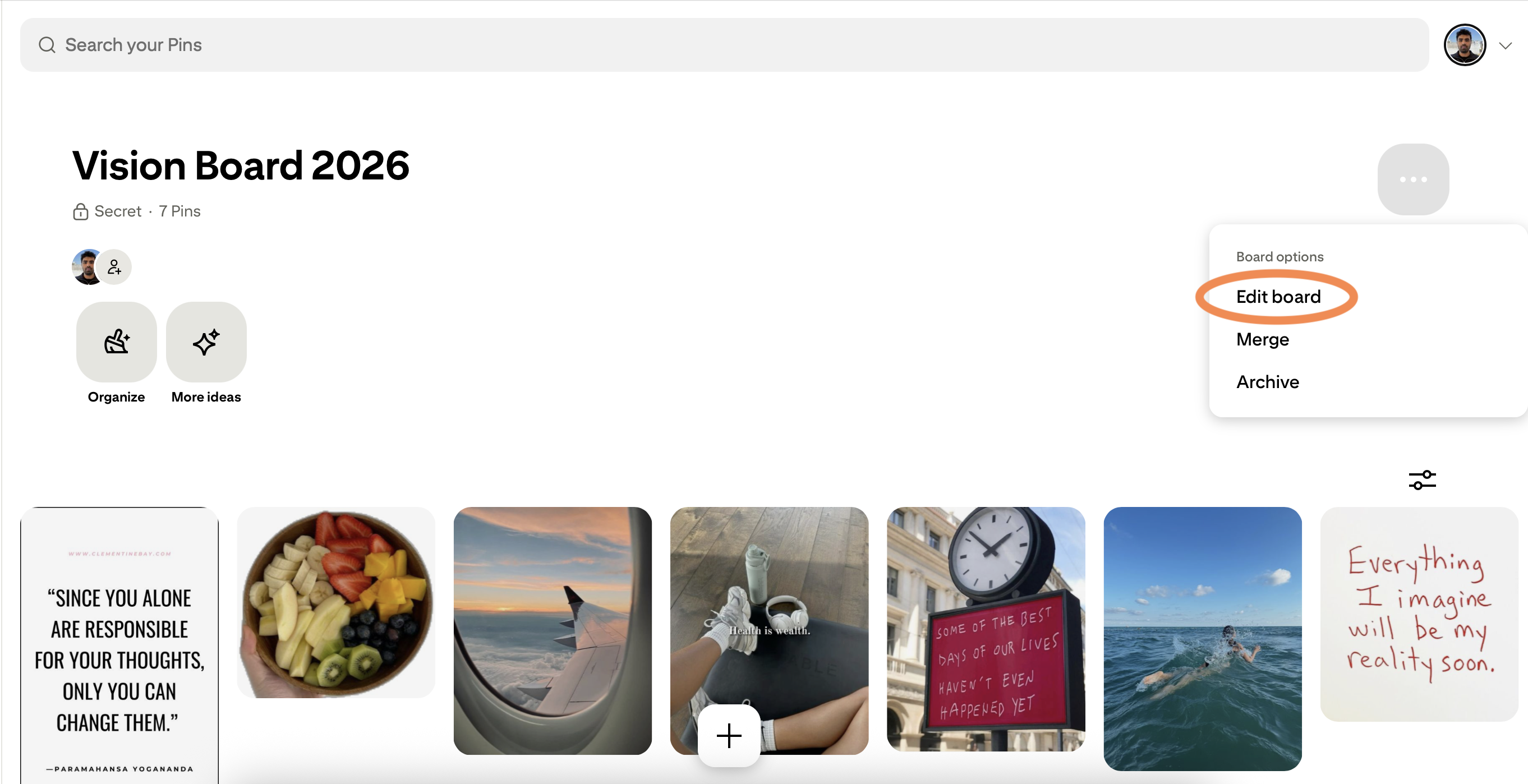
Choose "Edit board"
Click "Edit board" from the dropdown that appears.
Turn off "Keep this board secret"
In the settings panel, find the "Keep this board secret" checkbox and untick it.
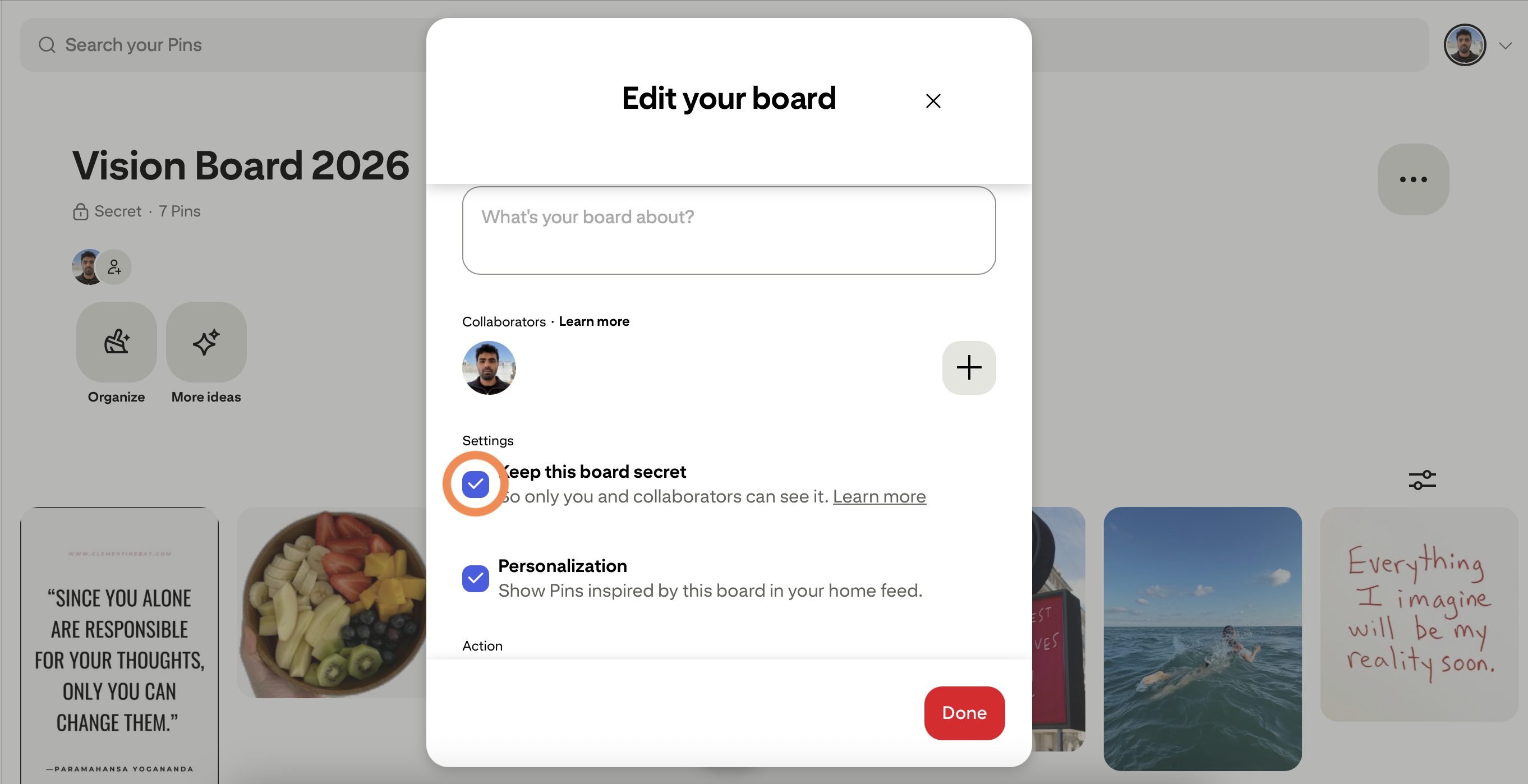
Before: secret is on, so the board is hidden.
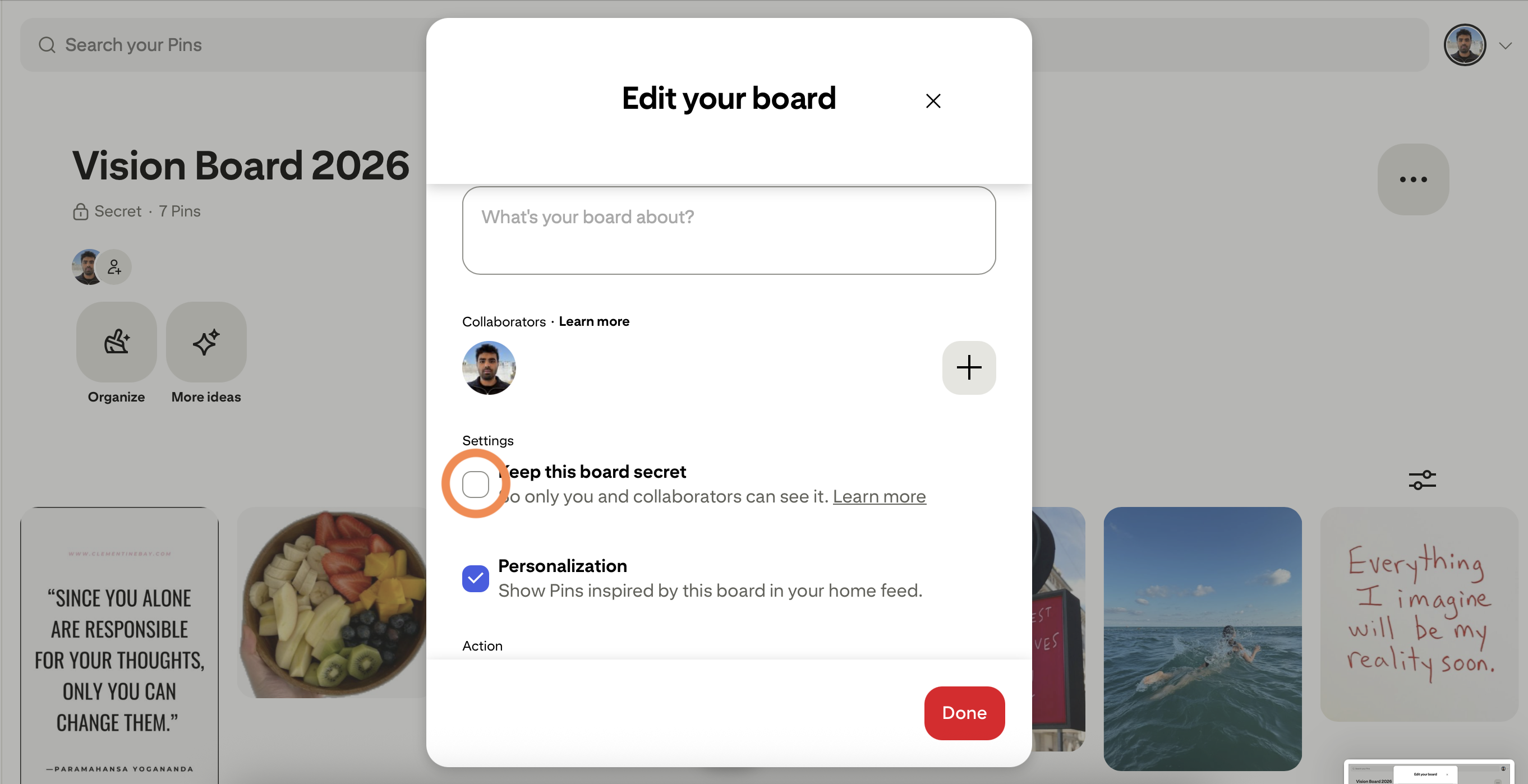
After: switch it off to make the board public.
Save it with PinSuite
Click "Done", copy the board's link, and paste it into your PinSuite dashboard. Start the download.
Switch it back to secret
Once the board appears in your library with its pin count, go back and tick "Keep this board secret" again. Your board is private once more.
Prefer not to make it public at all?
Fair. Our browser extension reads your secret boards directly through your own Pinterest session, so nothing ever changes visibility. It works on Chrome and Firefox (Safari is coming soon), and your password never leaves your browser.
Common questions
Will anyone see my board while it's public?
Only for as long as you leave it public, and only to someone who opens your profile or has the link in that window. Switch it back as soon as the import finishes and it is private again.
What if I forget to make it secret again?
No harm done. Go back into the board's settings any time and turn the secret toggle back on. There is no time limit.
What quality are the saved images?
The original file Pinterest stores, not a thumbnail or a screenshot. That is what makes a saved board actually useful later, whether you are zooming into a recipe or matching a paint color.
Will my sections be kept?
Yes. Every section inside the board becomes its own folder in your saved copy, names and all, so your organization carries over.