Temporarily Make Your Board Public
Pinterest doesn't let third-party apps access private boards directly. Here's a quick workaround that takes about 30 seconds.
Here's how it works
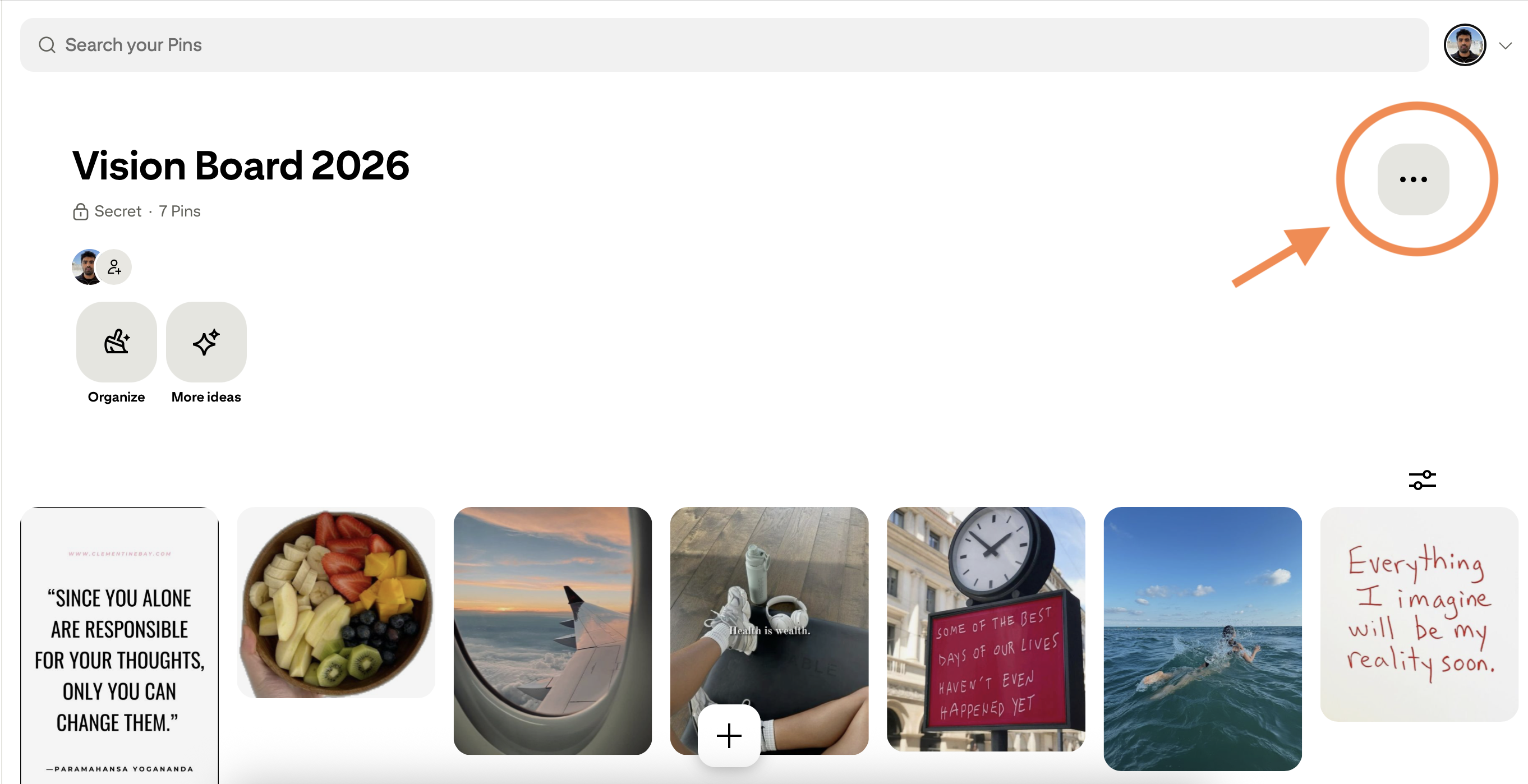
Find the menu button
Go to your board on Pinterest. Look for the "..." button in the top-right corner of your board.
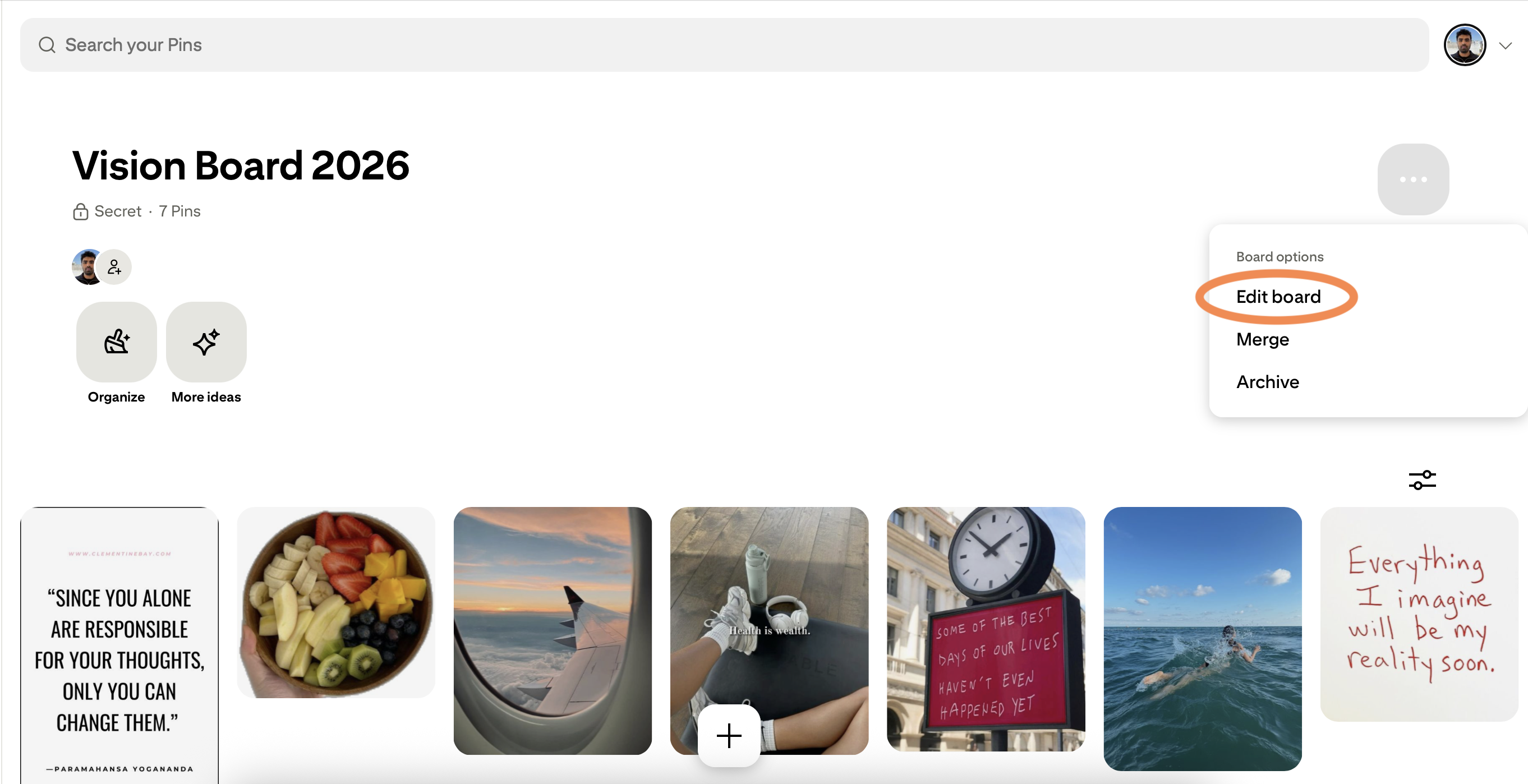
Open "Edit board"
Click "Edit board" from the dropdown menu that appears.
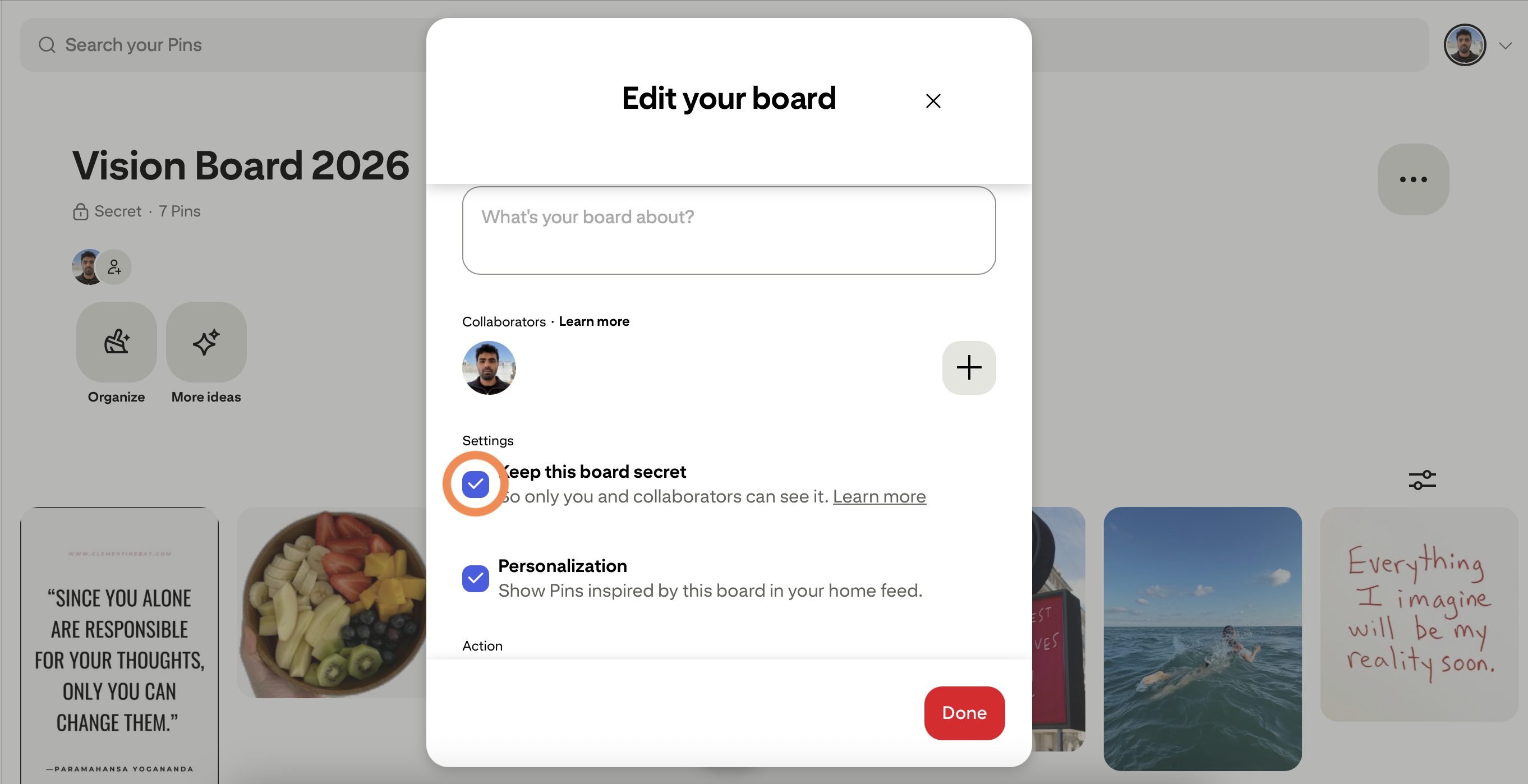
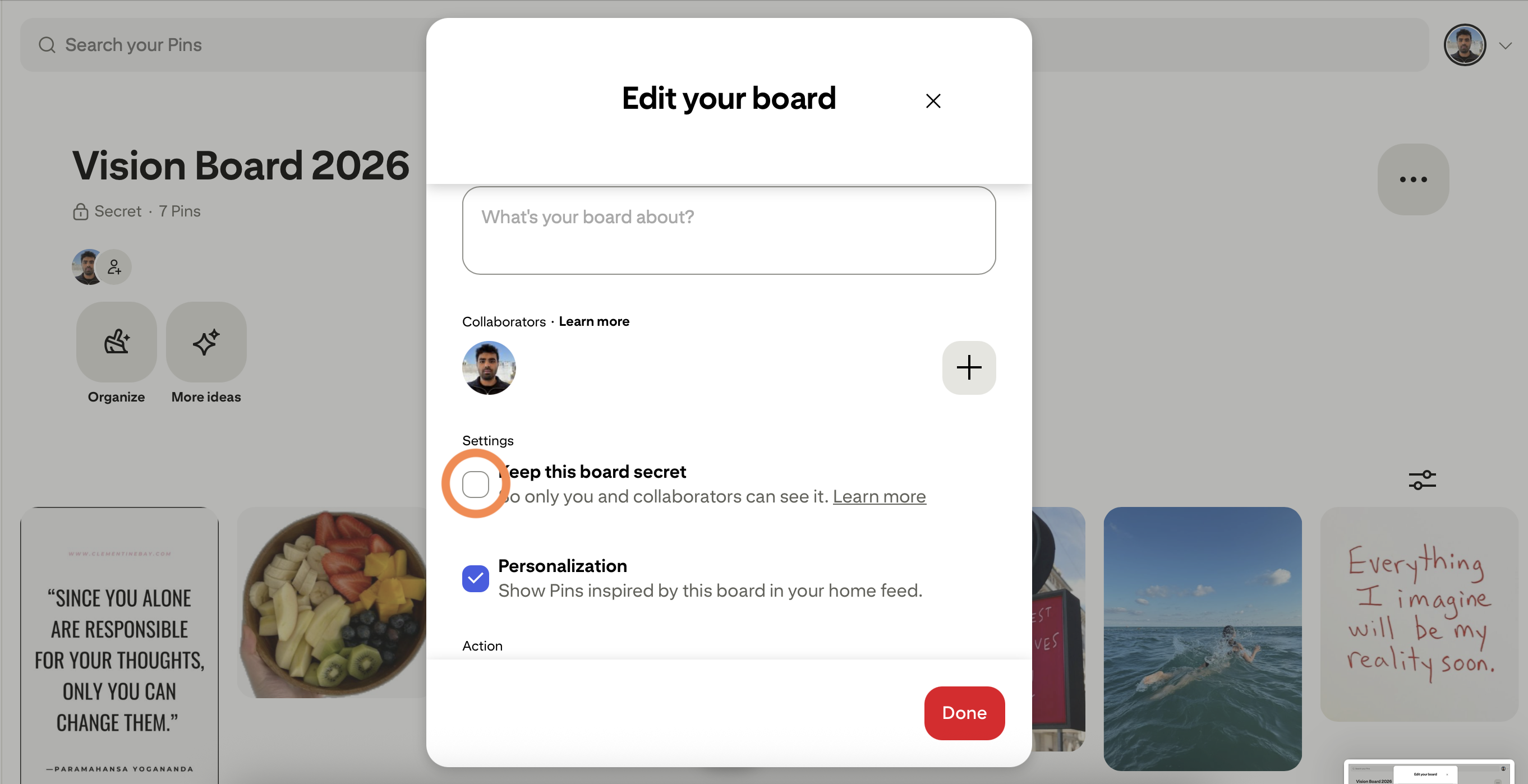
Uncheck "Keep this board secret"
In the settings panel, find the "Keep this board secret" toggle and uncheck it.
"Paste your board URL and I'll save everything!"
Download with Pinsuite
Click "Done", copy your board URL, and paste it into Pinsuite. Start your download.
Download a Board →Set it back to private
Once the download starts, go back and re-check the "Keep this board secret" box. Your board is private again!
Pro tip: The download continues even after you make the board private again. Pinterest only checks permissions at the start.
Common questions
Will people see my board while it's public?
Technically yes, but only for the few seconds it takes to start the download. Pinterest doesn't notify your followers about board visibility changes.
What if I forget to make it private again?
Just go back to the board settings anytime and re-enable the secret option. There's no time limit.
Is there a way to download without making it public?
Yes! Our Chrome extension can access your private boards directly. No visibility changes needed.
Prefer to keep your board private?
Our Chrome Extension downloads private and secret boards without changing their visibility. It uses your existing Pinterest session securely. Your password never leaves your browser.